Trusted by 100+ Businesses





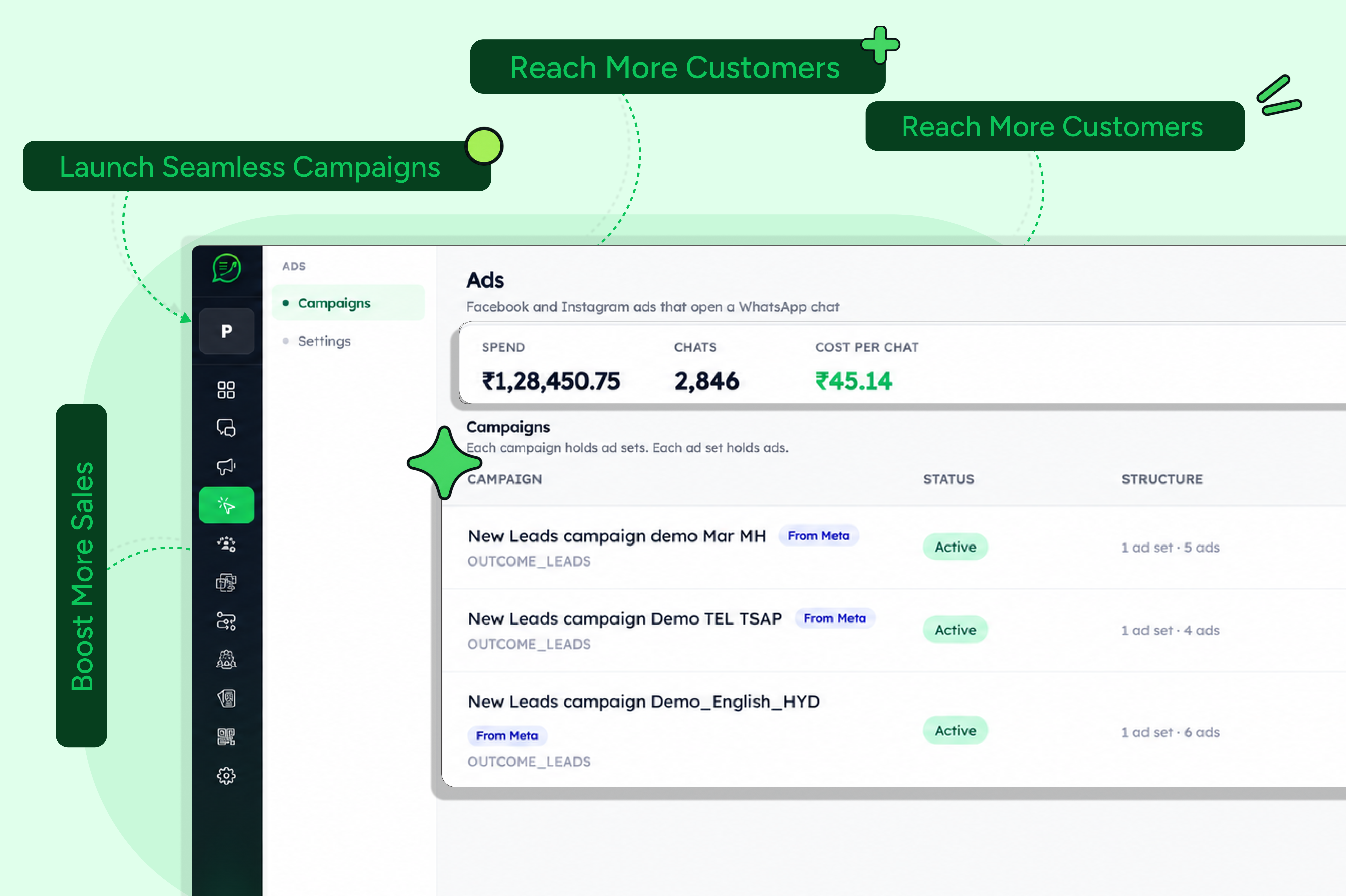
Run Smarter Meta Ads with SEWS Ads Manager
An all-in-one Meta Ads platform built for businesses to create, manage, and optimize campaigns with ease. Run Click-to-WhatsApp Ads, Website Ads, and Lead Form Ads from one intuitive dashboard and turn ad clicks into meaningful customer conversations.
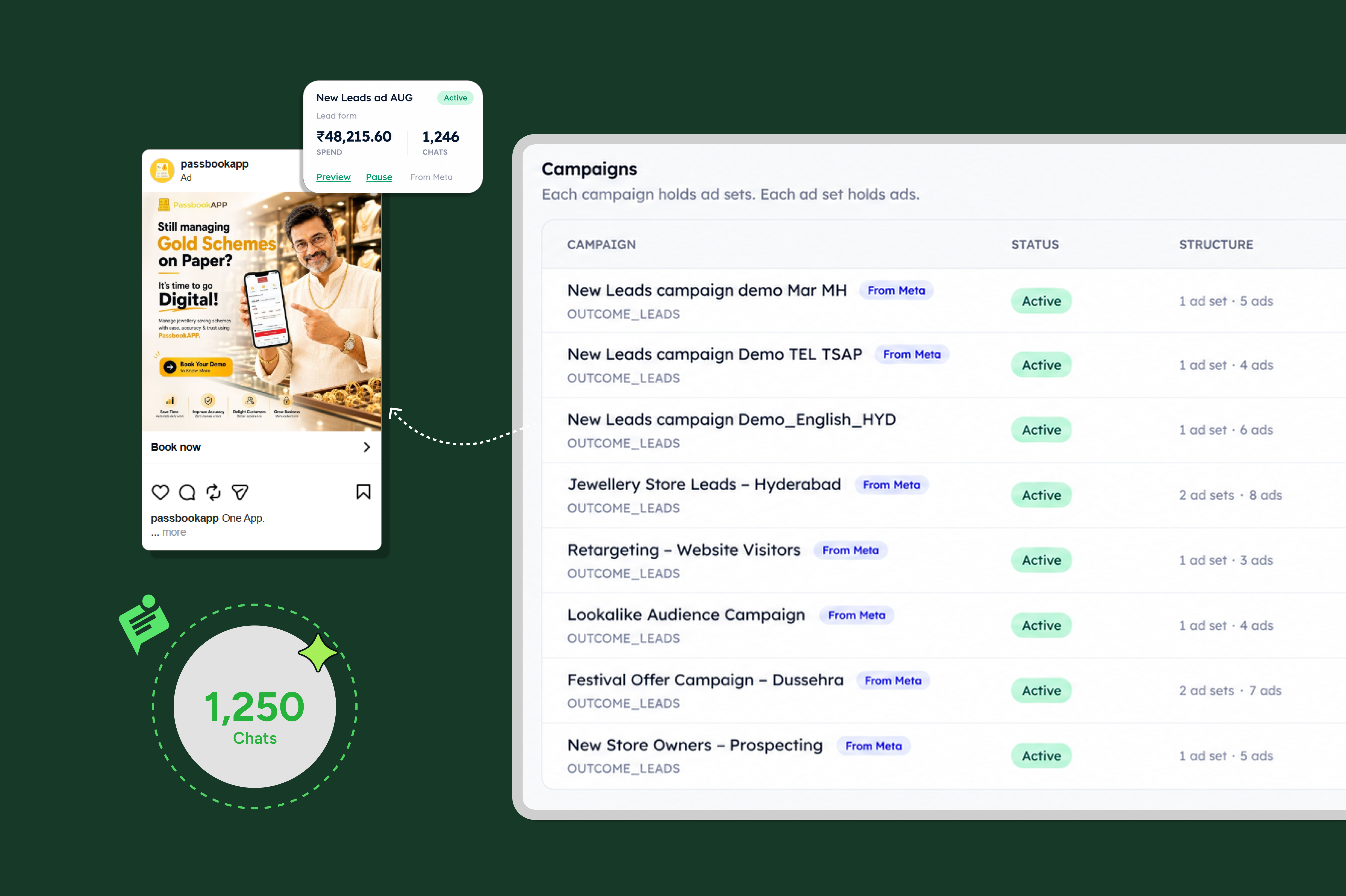
Why Choose Sews.AI Ads Manager?
SEWS.ai brings Meta Ads management and WhatsApp marketing together in one powerful platform. Create and manage campaigns, generate engaging creatives, track performance, and connect with customers—all from a single intuitive dashboard.
4 Ad Types to match different campaign objectives
No Coding Required with an intuitive, user-friendly interface
Real-Time Analytics to monitor and optimize ad performance
Direct WhatsApp API Integration for seamless customer follow-ups
The 4 Ad Types in SEWS Ads Manager
Choose the right ad format based on your campaign goal and connect with your audience across Meta and WhatsApp.
Click-to-WhatsApp Ads
Start conversations. Drive customers directly into a WhatsApp chat with your business. Ideal for lead generation, customer engagement, sales, and support.
Website Ads
Drive website traffic. Send customers to your website, landing pages, or product pages. Perfect for increasing traffic, promoting products, and driving sales.
Lead Form Ads
Capture leads effortlessly. Collect customer information through forms directly within Meta. A seamless option for B2B lead generation and high-conversion campaigns.
WhatsApp Status Ads
Connect with customers through immersive, full-screen ads on WhatsApp Status. Capture attention, increase engagement, and drive more conversions with SEWS.
How It Works
Simple Steps to Run Meta Ads with SEWS Ads Manager
.png)
Create Your SEWS Account
Sign up for SEWS and access the Ads Manager to start creating and managing your Meta ad campaigns.
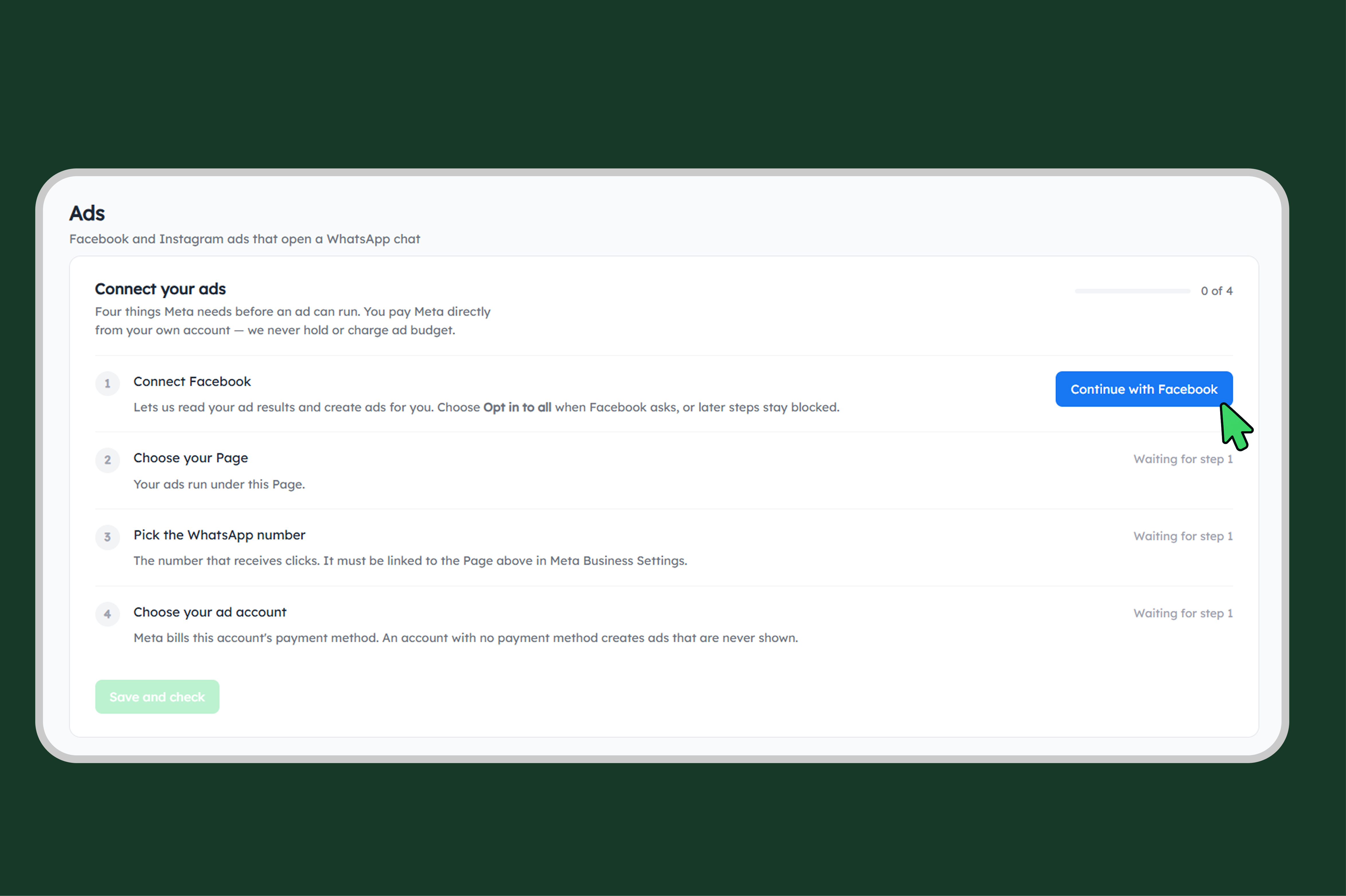
Connect Your Facebook Business Account
Open Ads Manager from the dashboard and connect your Facebook Business account. Select the Facebook Page you want to use for your campaigns.
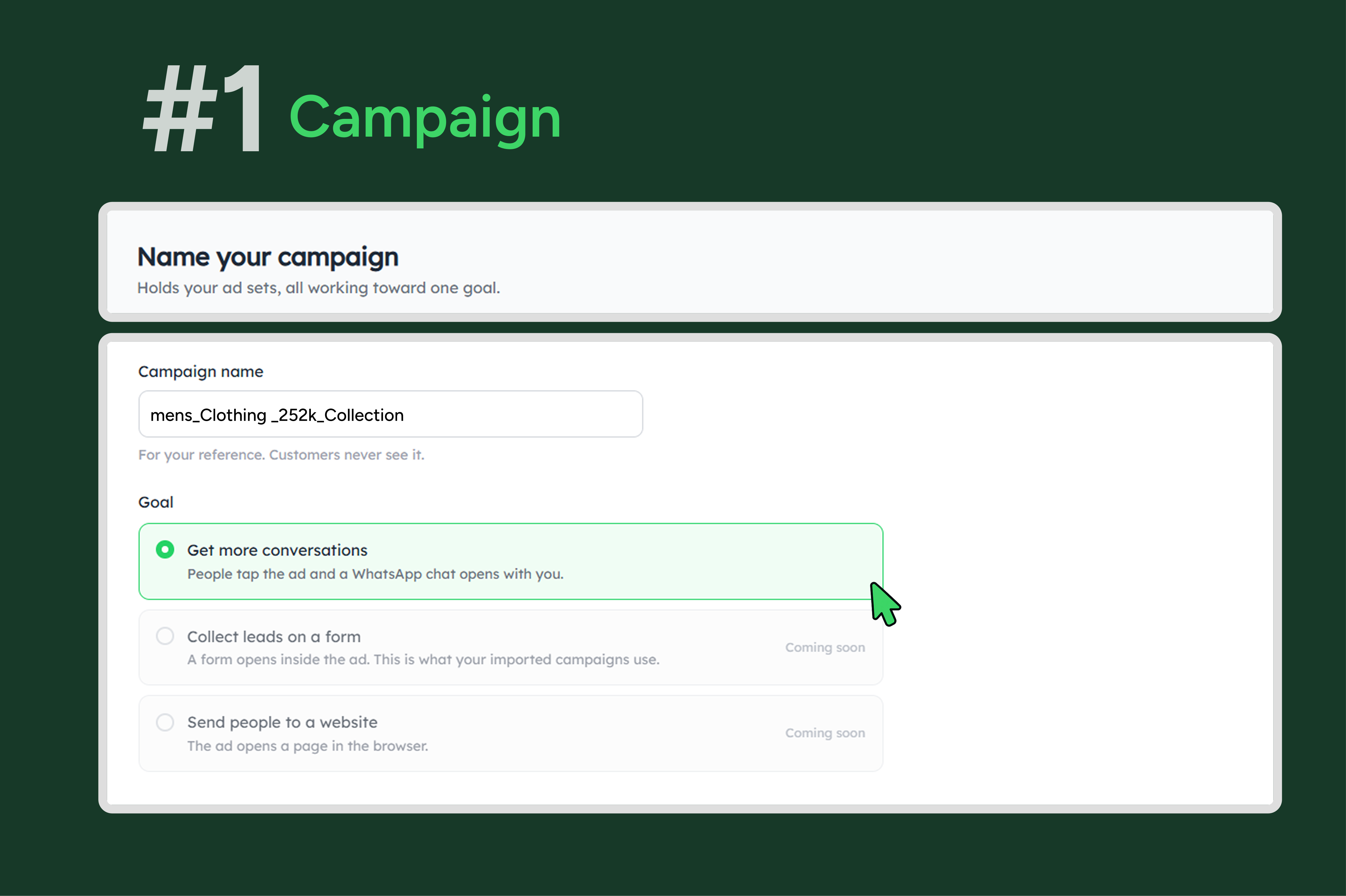
Select Your Ad Type
Click “Create Ad” and choose the ad format that matches your campaign goal:
Get more conversations
Collect Leads on a form
Send people to a website
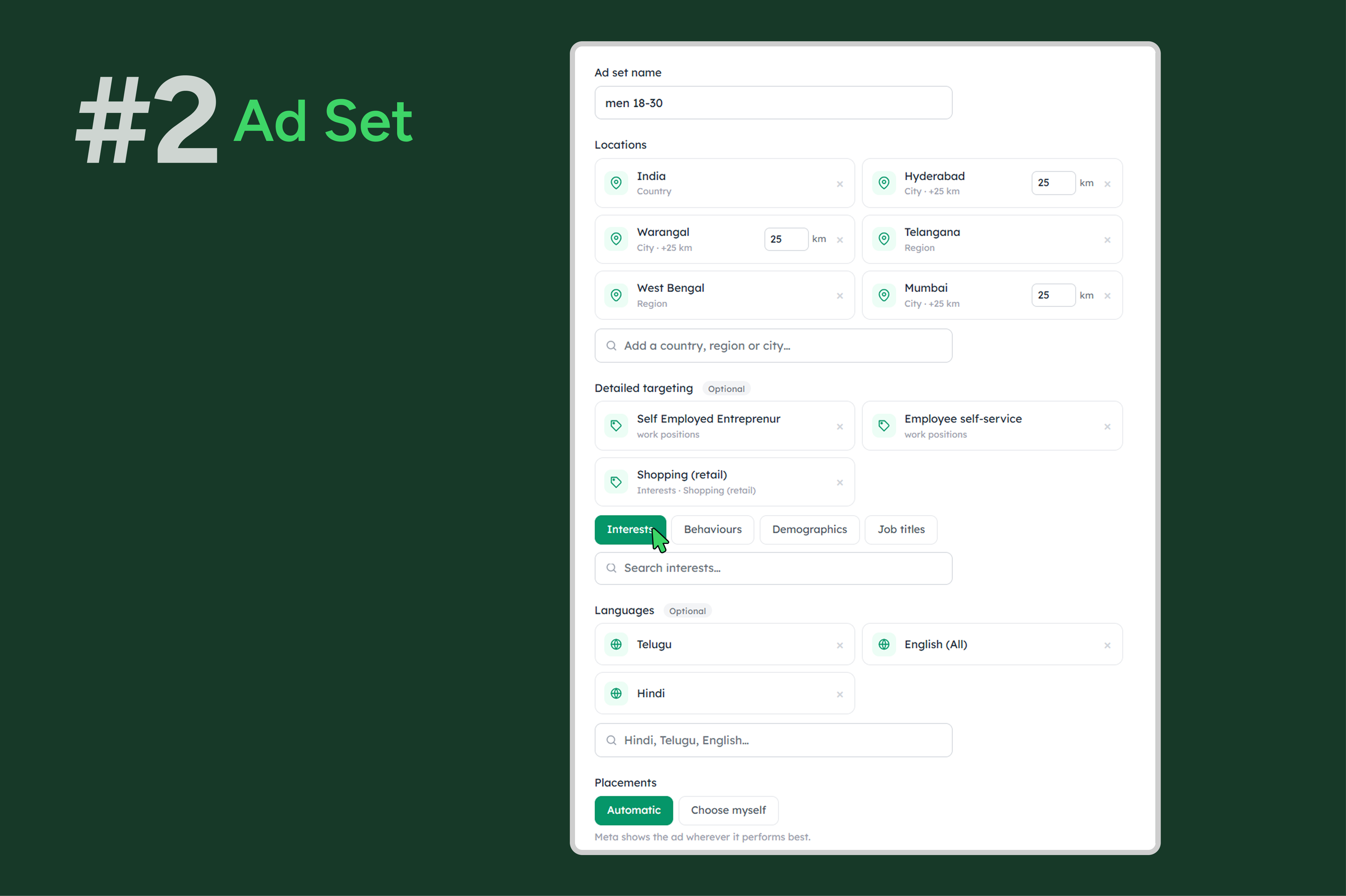
Define Your Target Audience
Choose your audience based on location, age, gender, interests, and behaviors. Select the platforms and placements where you want your ads to appear.
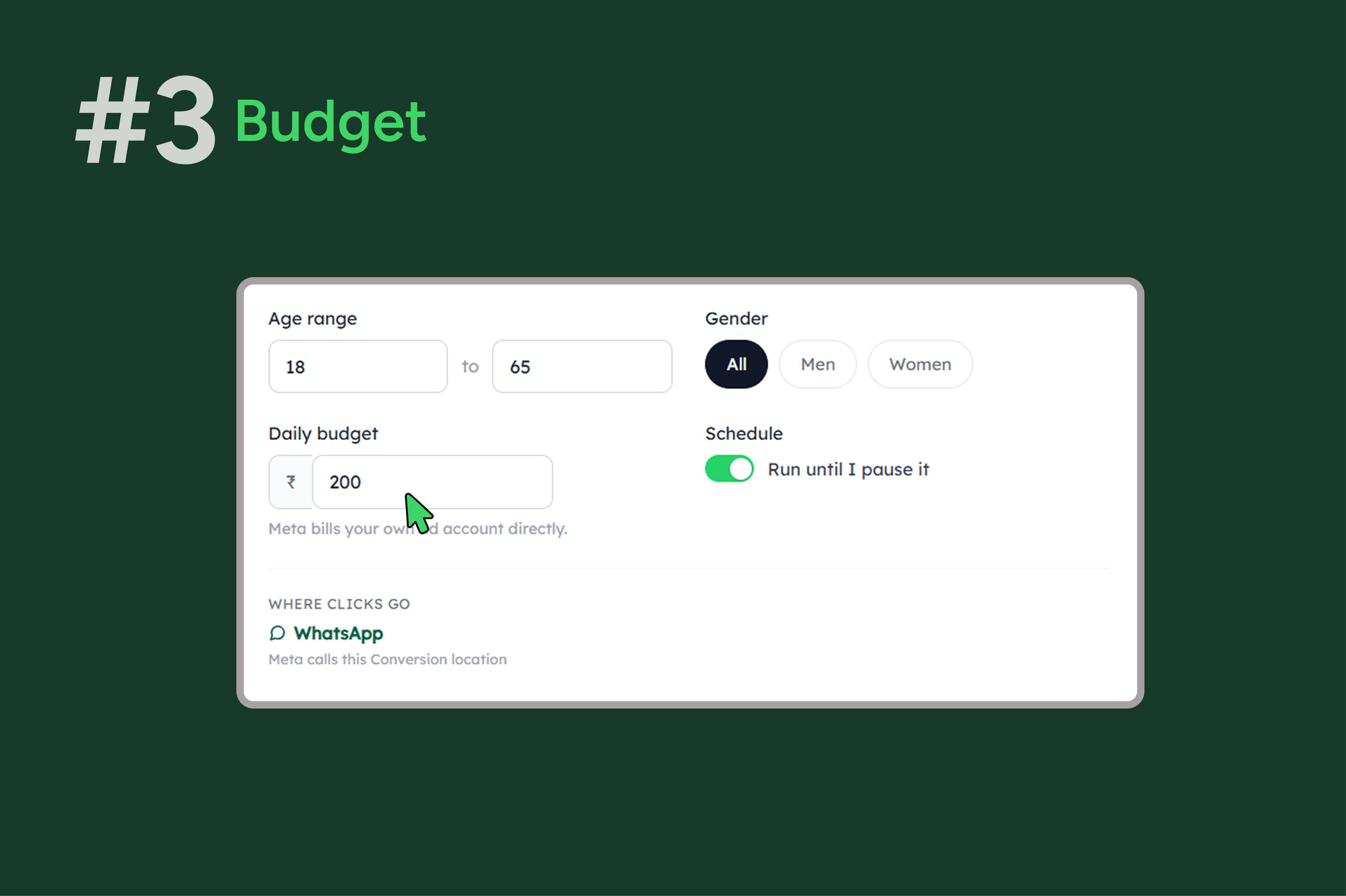
Set Your Budget & Campaign Duration
Define your daily budget, total budget, and campaign duration based on your marketing goals.
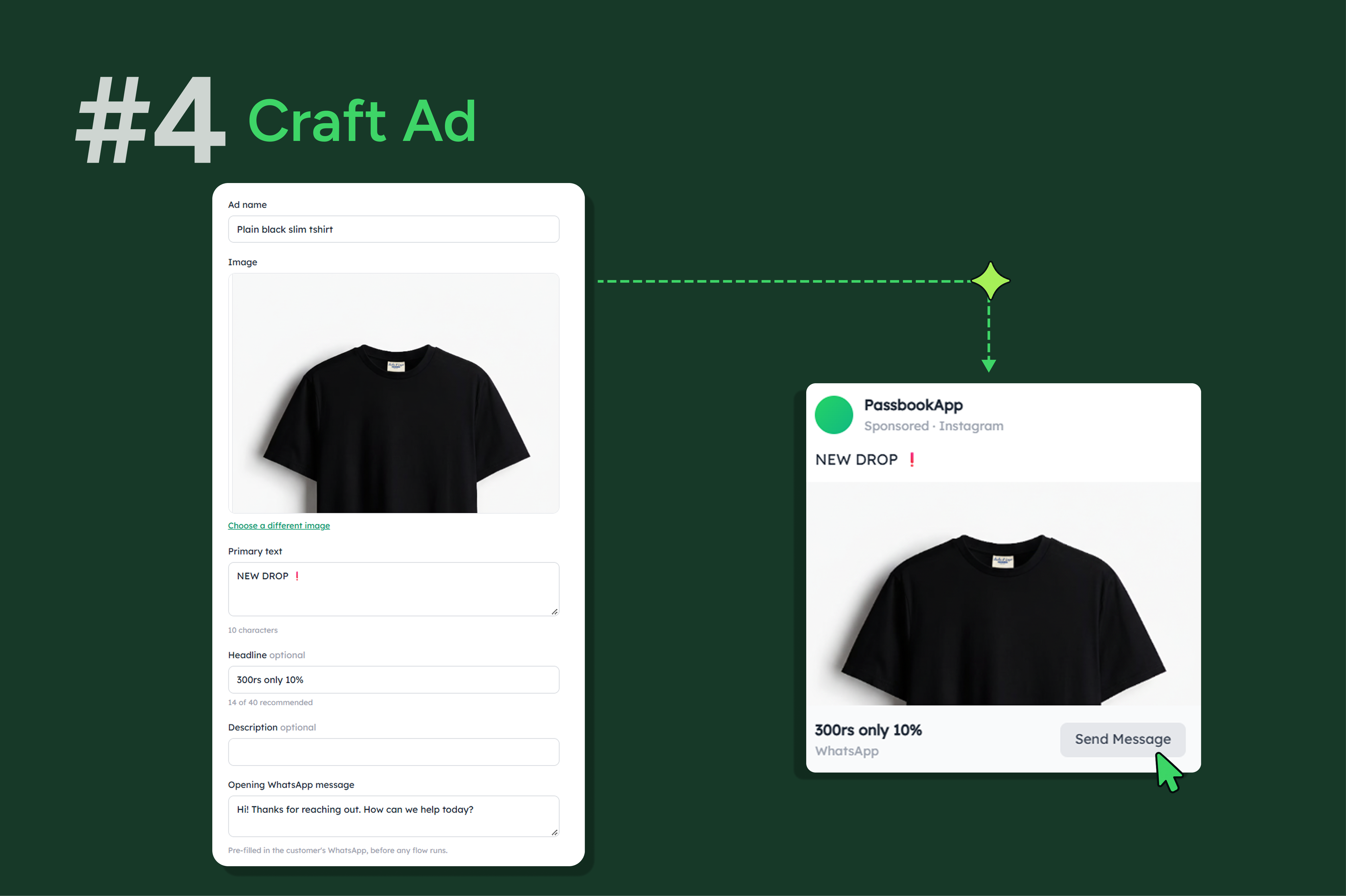
Add Your Ad Creative & Copy
Upload your images or videos, add your headline, description, and call-to-action. Customize your ad content to match your campaign objective.
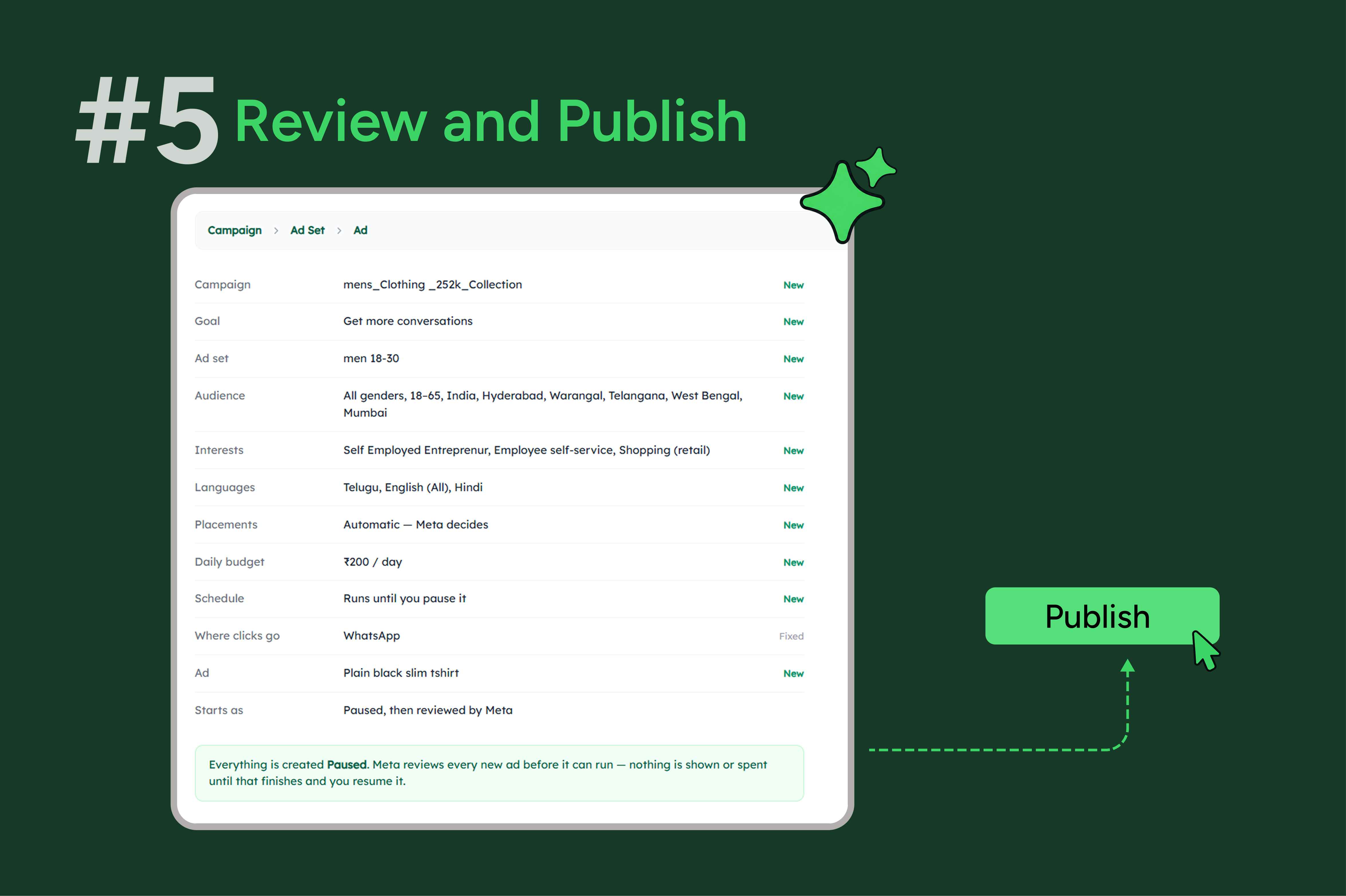
Review & Publish Your Ad
Review your campaign details, targeting, budget, and creative. Click “Publish” to submit your ad for Meta's review.
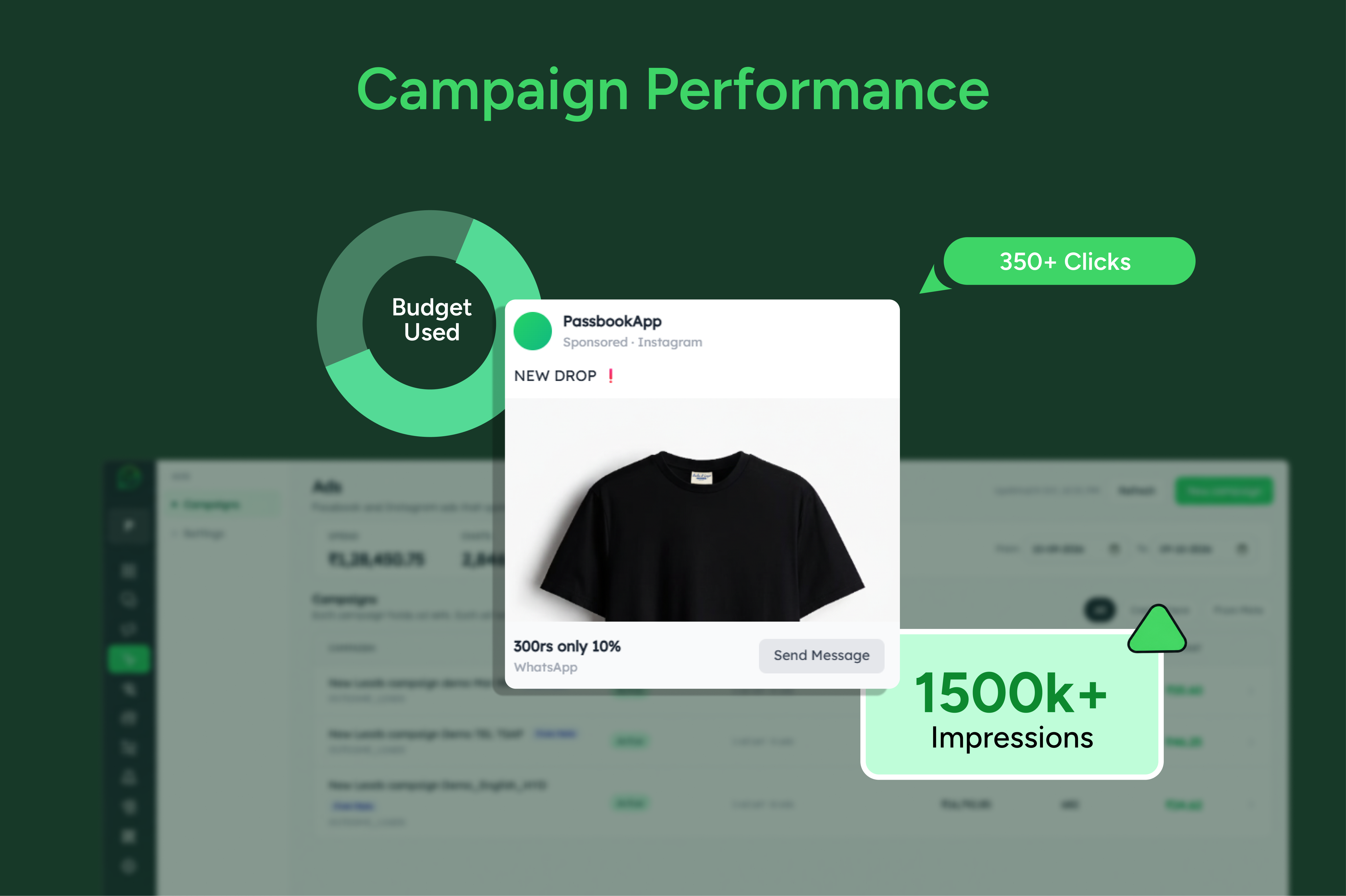
Track Campaign Performance
Monitor your campaigns directly from the SEWS.ai Ads Manager. Track key metrics, view campaign performance, and make informed adjustments to improve your results.
.
SEWS.ai brings WhatsApp marketing, engagement, and support together in one powerful platform.
Multiple-Agent Live Chat
Enable multiple team members to manage customer conversations from the same WhatsApp number and provide faster, more effective support.
WhatsApp Chatbot Flow Builder
Build powerful WhatsApp chatbots with an intuitive drag-and-drop Flow Builder—no coding required.
WhatsApp Scheduler
Plan and schedule your WhatsApp broadcasts in advance, making it easier to reach customers at the right time.
Broadcast, Track & Analyze
Send targeted WhatsApp broadcasts and track customer interactions and CTA clicks to measure campaign performance.
FAQ
Do I need a Facebook Business Manager account?
Yes. You’ll need to connect your Facebook Business account with SEWS Ads Manager to create and run Meta ad campaigns.
Can I run multiple campaigns at the same time?
Absolutely! You can create, manage, and monitor multiple campaigns across different ad types from a single dashboard.
How does the ad budget work?
Your ad budget is used to run campaigns on Meta. You can set your campaign budget and duration based on your marketing goals and manage your spending through the platform.
Is there any contract or long-term commitment?
No. You can use SEWS Ads Manager without a long-term commitment and upgrade or change your plan whenever needed.
Can I connect my leads to a CRM?
Yes. SEWS can help you connect captured leads with your CRM or other business systems through available integrations, APIs, or webhooks.
What types of ads can I create with SEWS Ads Manager?
You can create Click-to-WhatsApp Ads, Website Ads, Lead Form Ads, and WhatsApp Status Ads based on your campaign objectives.
Are there any restrictions on the ads I can run?
Yes. All campaigns must comply with Meta’s advertising policies and guidelines. Certain industries and ad categories may have additional restrictions or requirements.
.
Automate WhatsApp conversations, launch marketing campaigns, manage customer interactions, and grow your business with AI-powered tools.
Product
Resource
Company
© 2026 Proficonlabs Private Limited. All rights reserved. Sews AI is a product of Proficonlabs Private Limited.