Trusted by 100+ Businesses







Want to access SEWS.ai quickly from your desktop with just one click? It's simple!
You can install the SEWS.ai website as a browser application on your desktop for easy access without opening the website manually every time.
In this tutorial, we'll walk you through the steps to install and access the SEWS.ai browser application on your PC or laptop.
Trusted by 100+ Businesses
How to Download and Use the SEWS Mobile App
Access your SEWS.ai account anytime, anywhere with the mobile application. Follow these simple steps to install the app, log in, and manage your WhatsApp business activities directly from your smartphone.
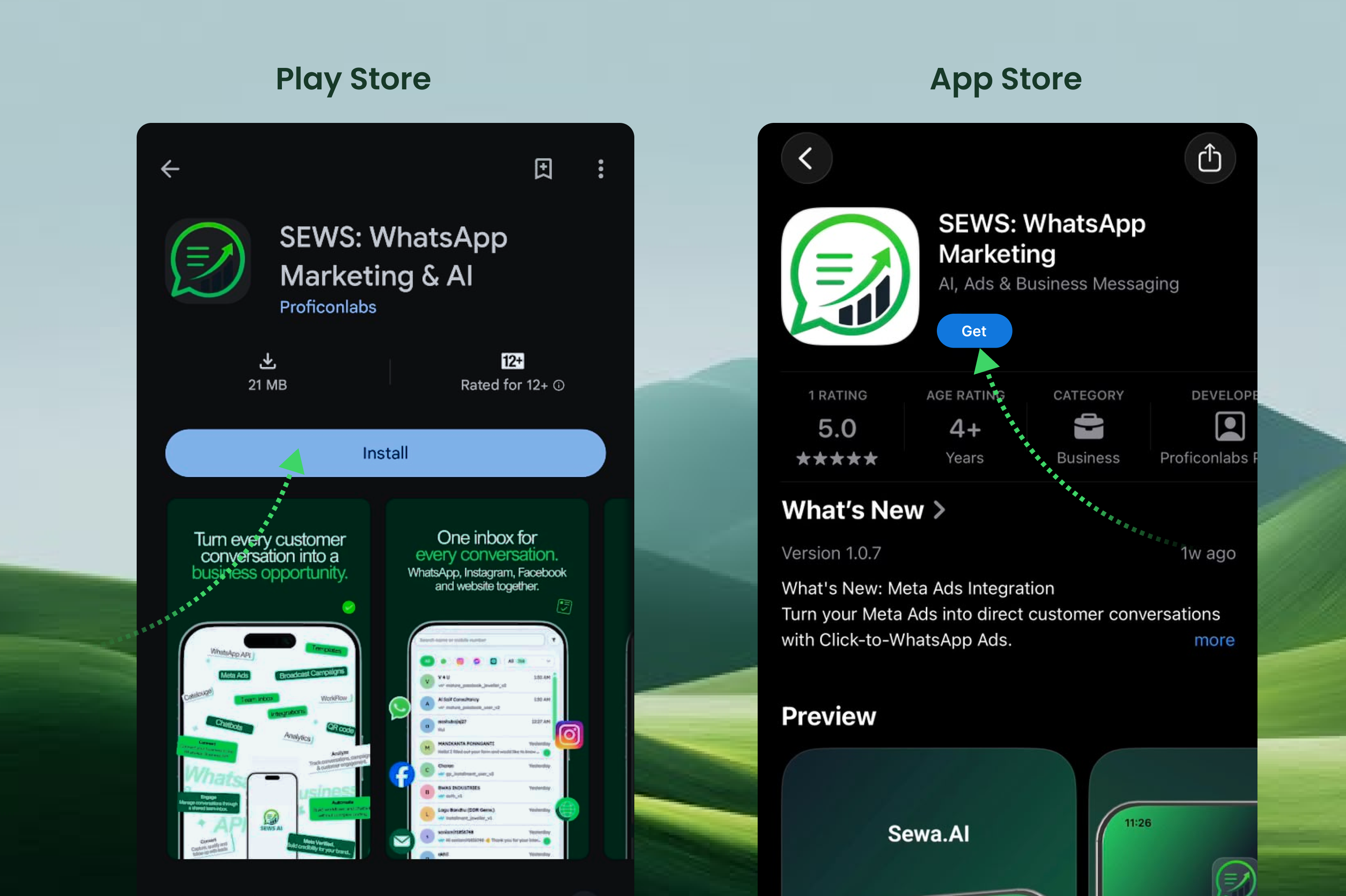
Download the SEWS App
Open the Google Play Store on your Android device or the Apple App Store on your iPhone.
Search for SEWS: WhatsApp Marketing.
Select the SEWS app from the search results.
Tap Install on Android or Get on iPhone.
Wait for the app to download and install.
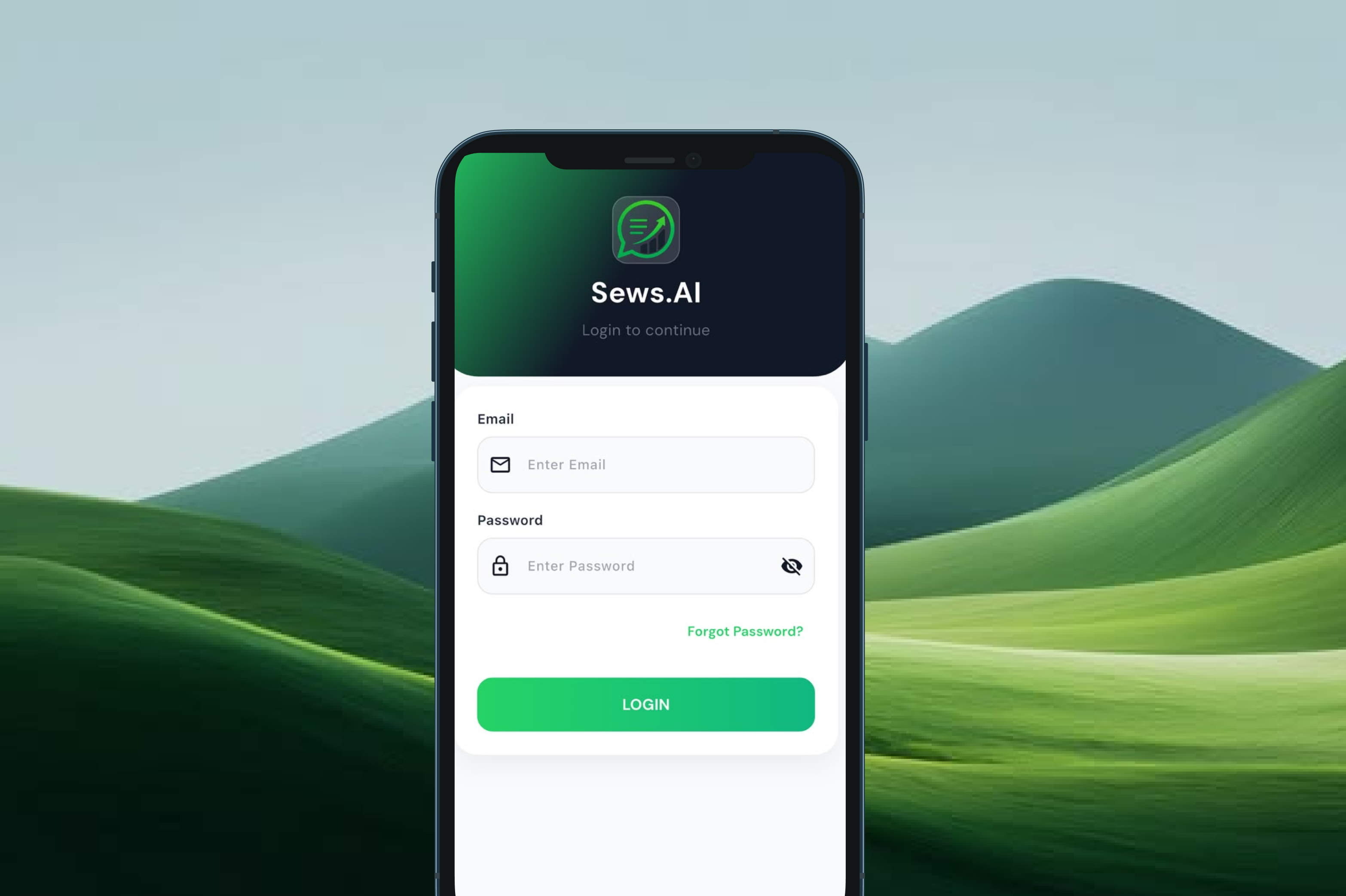
Open the App and Log In
Once the installation is complete:
Open the SEWS.ai app on your smartphone.
Enter your registered email address.
Enter your account password.
Tap the Login button to access your account.
If you forget your password, tap Forgot Password? and follow the instructions to reset it.
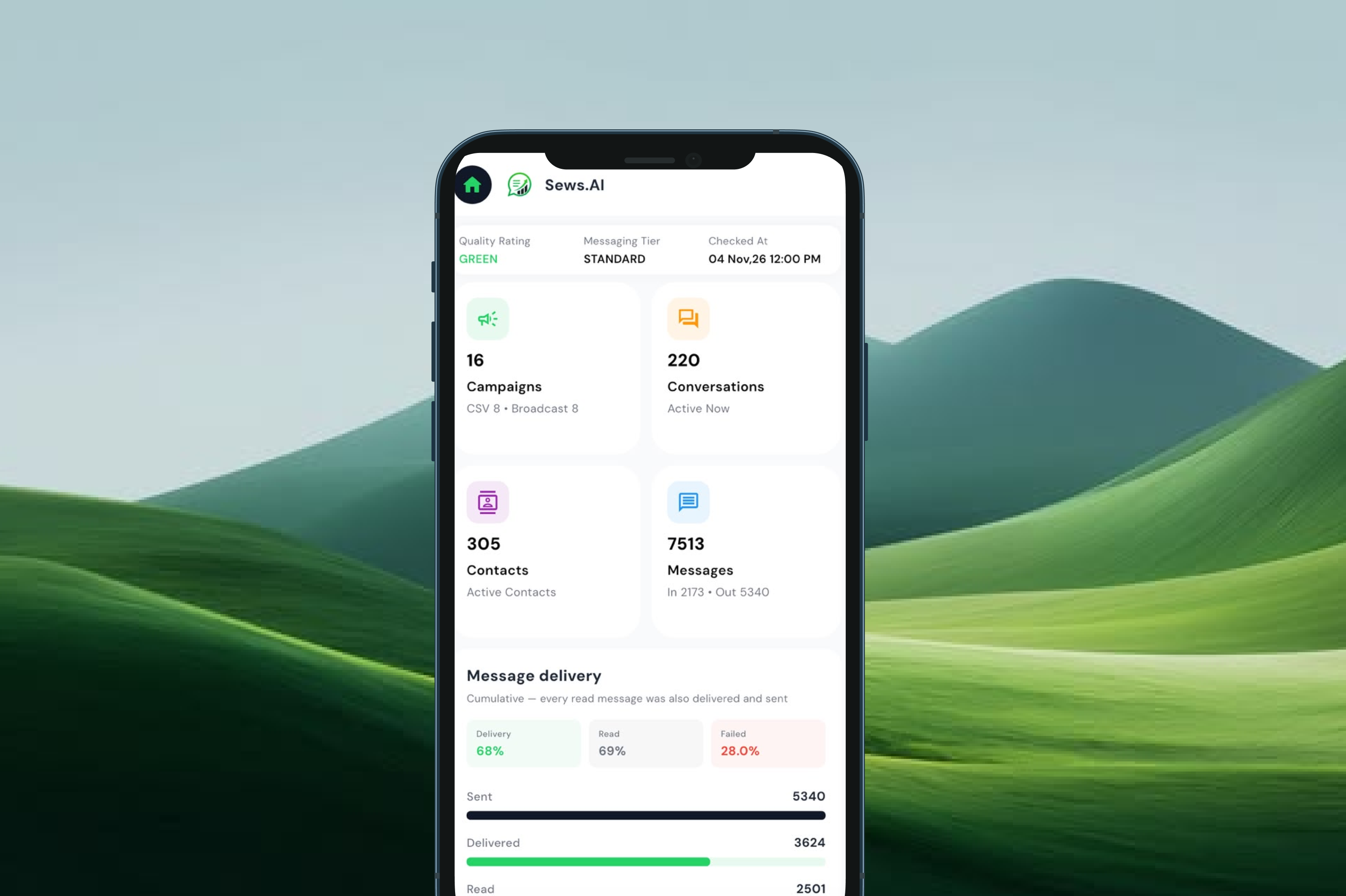
Access Your Dashboard
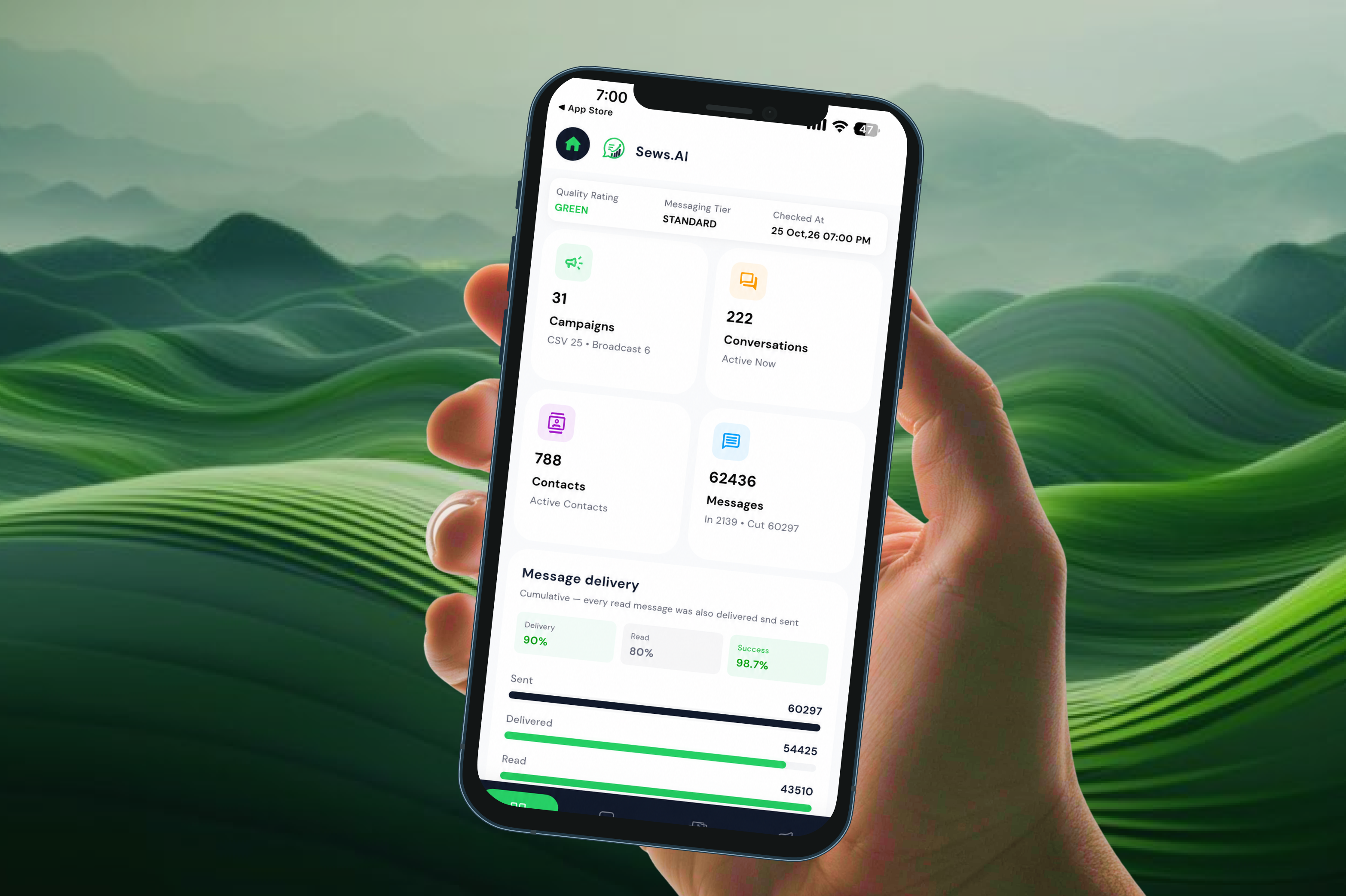
After logging in successfully, you'll be redirected to your SEWS.ai dashboard.
From the dashboard, you can view important business activity and performance details, including:
Campaigns: View your campaign activity.
Conversations: Monitor customer conversations.
Contacts: Check your contact records.
Messages: View incoming and outgoing message activity.
Message Delivery: Monitor delivered, read, and failed message statistics.
Quality Rating: Check your WhatsApp account quality rating and messaging tier.
WhatsApp is the One Platform that brings together Actionable Notifications & Customer Support!
98%
Open Rates
45-60%
Click Rates
2.60Bn+
Active Users
70%
Engagement Rate
.
Simplify customer communication and strengthen engagement with SEWS.ai’s WhatsApp solutions. Create your free account today — no credit card required.
⚡ Powered by the Official WhatsApp Business API
.
.
Automate WhatsApp conversations, launch marketing campaigns, manage customer interactions, and grow your business with AI-powered tools.
Product
Resource
Company
© 2026 Proficonlabs Private Limited. All rights reserved. Sews AI is a product of Proficonlabs Private Limited.